Capture images and share them in a more stylish way
The PrtScr key is quite useful – it lets you capture the screen without any third-party app. But this simplicity also makes it quite limited.
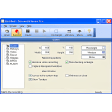
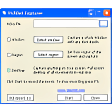
If you want to get rid of those limitations, use, the PrtScr app instead. In spite of sharing the same name, this capturing tool has nothing to do with Windows standard capturing function. It offers extended functionality, such as the ability to capture user-defined areas or send the captured image by email straightaway, and also features a fairly complete settings menu where you can customize the keyboard shortcut to launch the program and the format in which to save captured images, among others.
When running, PrtScrt displays an icon in the system tray from where you can access the program's tools. I loved the way images are displayed on the desktop right after capturing them – floating in a kind of smooth 3D animation.
On the downside, it took me a while to distinguish between its three main functions - and to find the help file as well, hidden in the "About" window. I also missed some editing tools, at least the most basic ones.
PrtScr lets you capture images in a stylish way and share them by email right away, but lacks documentation and also editing tools.

















User reviews about PrtScr
by meilillorente
I've been using this for the past 10 years. At work I even returned the company's MAC for a regular PC as this software only runs on windows. This is how much I love this. More
by frederik boersma
This is such a great little tool that works so flawlessly day in day out. It is the app I use most frequently after file explorer and office. so far all windows version supproted. More
by Anonymous
Full capture window is smaller than the screen size.
Hi !I had the same problem (full screen capture makes a kind of zoom onto the upper-left corner and captures only the 3/4 upper-left corner of the full screen) as Poanage.I found the solution :It's a bug of PrtScr that appears on Windows 10. PrtScr uses the zoom ratio set in Windows settings panel -> system -> display -> change_the_size_of_text,_apps,_and_other_items. On my PC, the problem appears when I set it to 125% (a value other than 100% in fact), but it disappears when I set it to 100%.Please correct this bug in a future version.Thanks in advance
Pros:
Very tiny and usefull tool
Cons:
nothing (just correct the W10 size bug) More
by Anonymous
It's a MUST TRY .... You'll love it !.
Oh my, what a great free tool. I've used others in the past and this one is so much simpler to use. The boss wanted me to create a PDF but we didn't have the necessary software to do it. I did a search for " free print screen software" and I ran across this one. The down load was a breeze and the boss loves it ! I instantly scored some points. :-) Pros:
Easy to use !
Simple to downlaod.
Cons:
It needs to be able to capture an image once and from there be able to save it, paste it to the clipboard and print it. I have to capture it three times to do these three functions. More
by Anonymous
Has a problem on my new laptop.
I love this program but for some reason on my new computer it is not working properly, when I enter the print screen mode it only captures part of the actual screen...anyone know how to fix this?
Pros:
Easy to use
Stylish interface
Cons:
Has a bug on my new laptop More
by Anonymous
advice.
I would advise you to try screenpresso. It is a full screen capture software with a number of interesting features.